Novoforge | Local-First Worldbuilding & Novel-Writing Software
Note
A quiet, local-first companion for building worlds and writing long-form fiction — your project is a portable .world folder on disk, and it stays yours.
Project Overview
Introduction
Novoforge is a local-first desktop application for worldbuilding and long-form novel writing, built with Electron, React, and TypeScript. Everything — the database, assets, revision history, and backups — lives in a single portable .world bundle on disk. No accounts, no cloud, no lock-in.
The project exists to solve a simple problem: serious long-form writing deserves a dedicated tool that respects your ownership of the work, works offline, and stays out of the way.
✨ Key Features
Manuscript
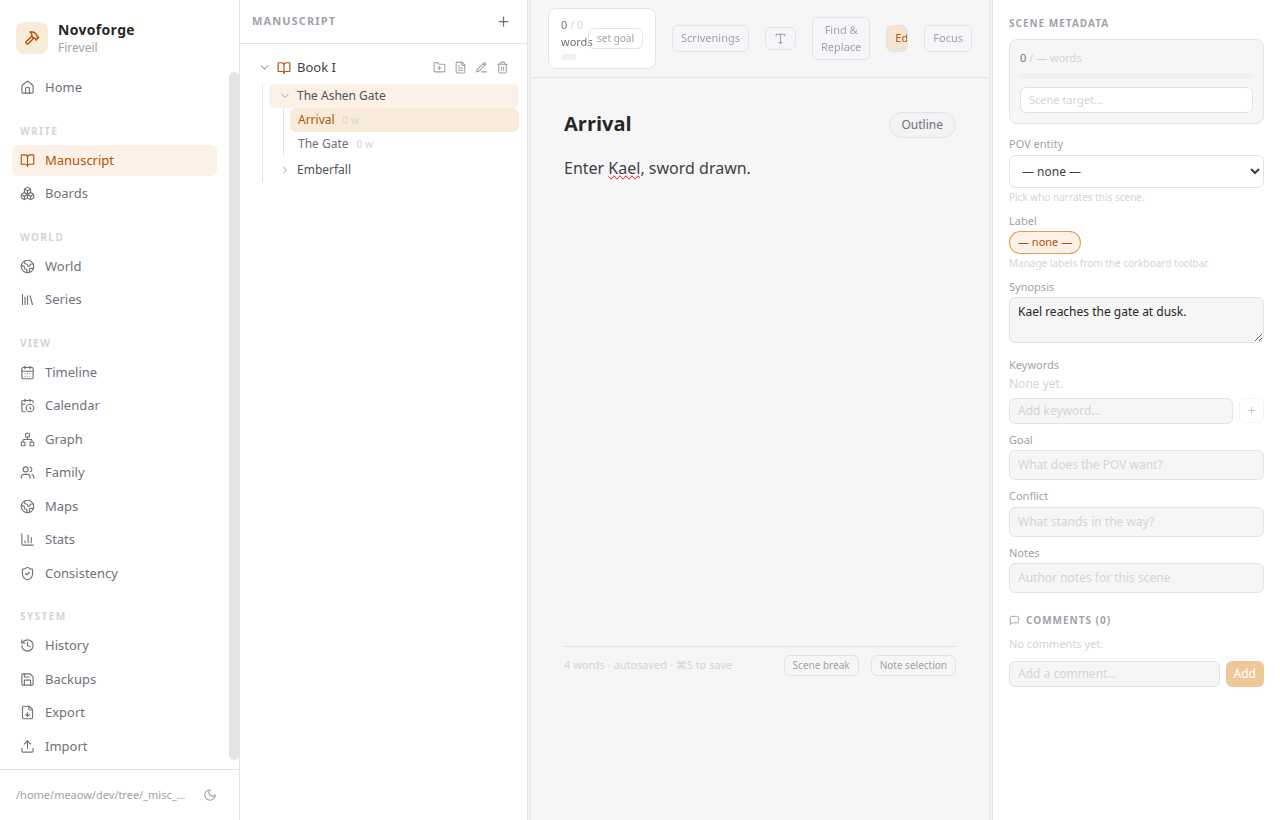
- Distraction-Free Editor - TipTap/ProseMirror editor with focus mode, typewriter scrolling, entity mentions (
@Character), wiki links, inline editorial notes, and scene-break markers - Scrivenings, Corkboard & Outliner Views - Read and edit your manuscript as one continuous flow, or plan it visually
- Per-Scene Targets & Find & Replace - Track word targets for every scene, part, and book; search across the whole project
Worldbuilding
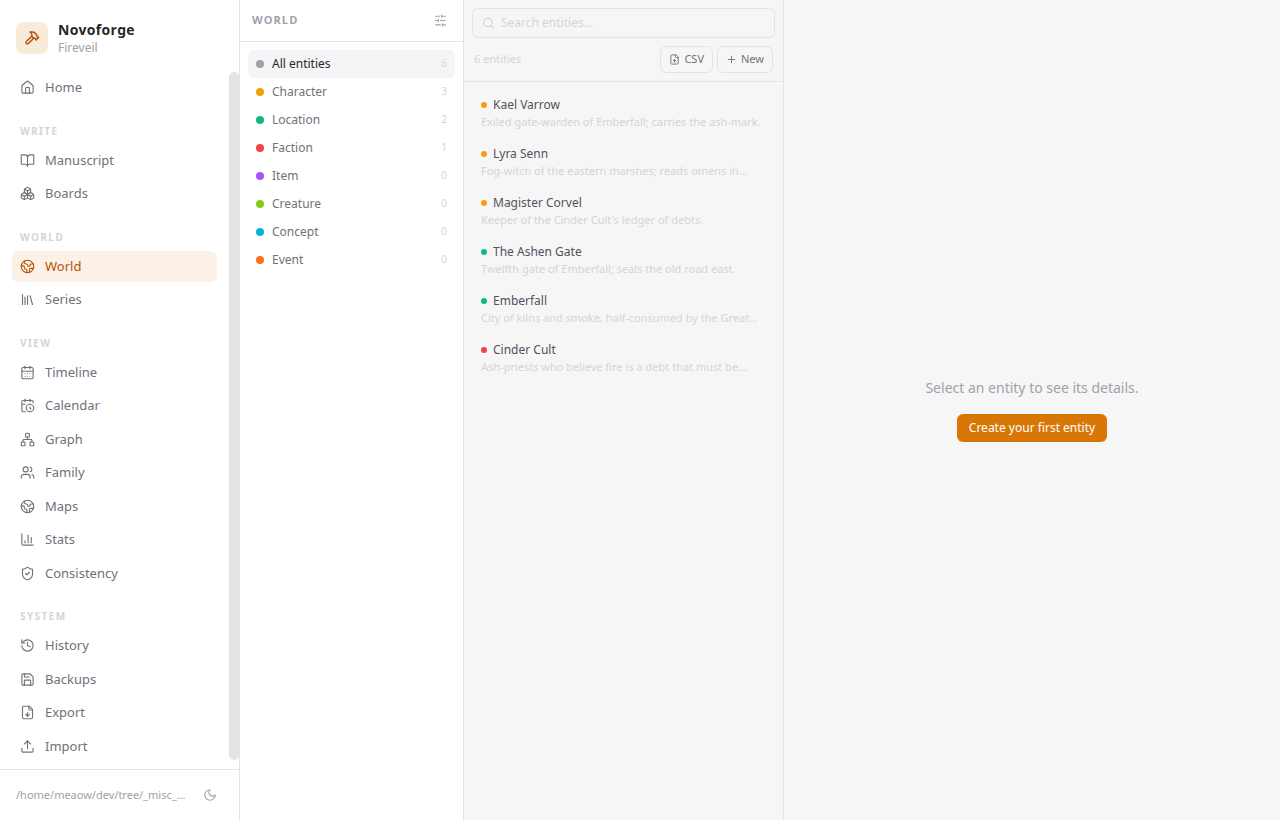
- Typed Entities - Characters, locations, factions, items, creatures, and more with custom attributes and tags
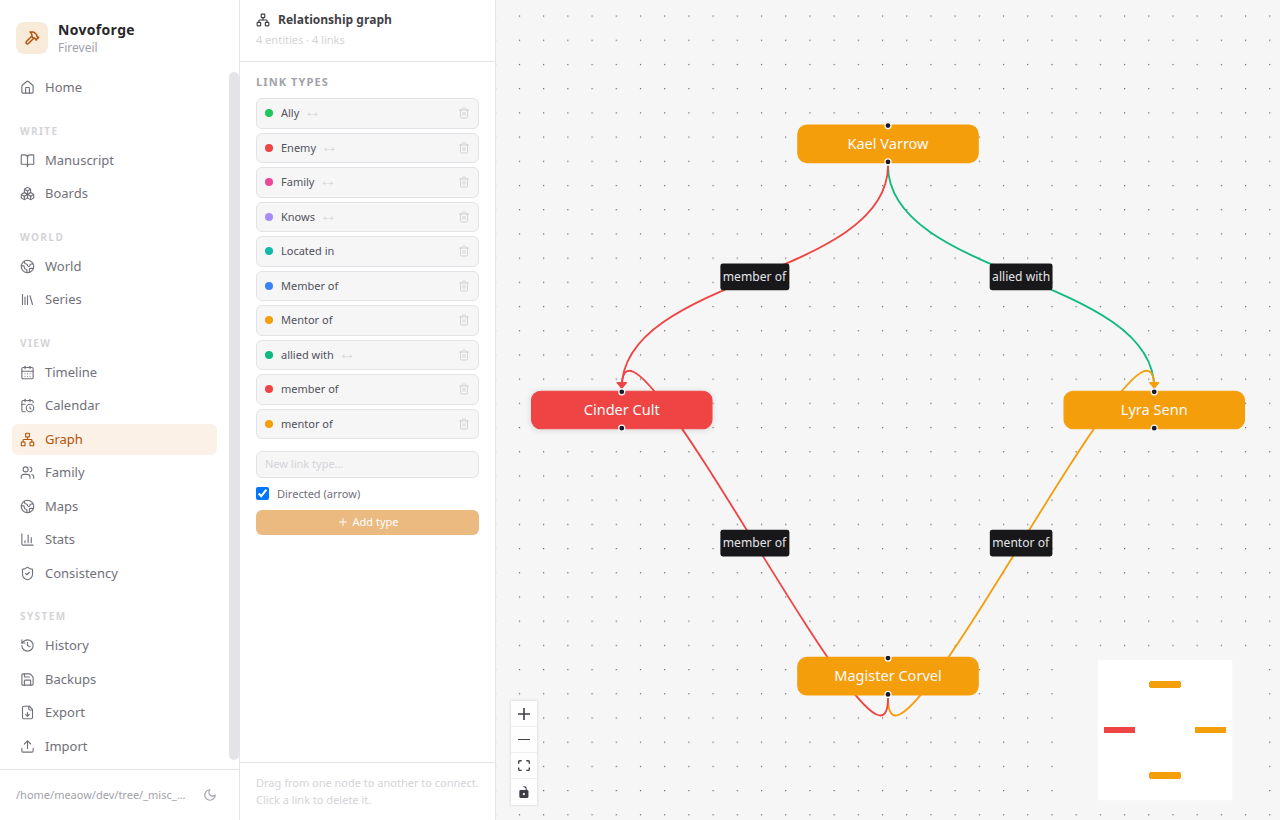
- Relationship Graph - Visualize connections between every entity, filtered by relationship type
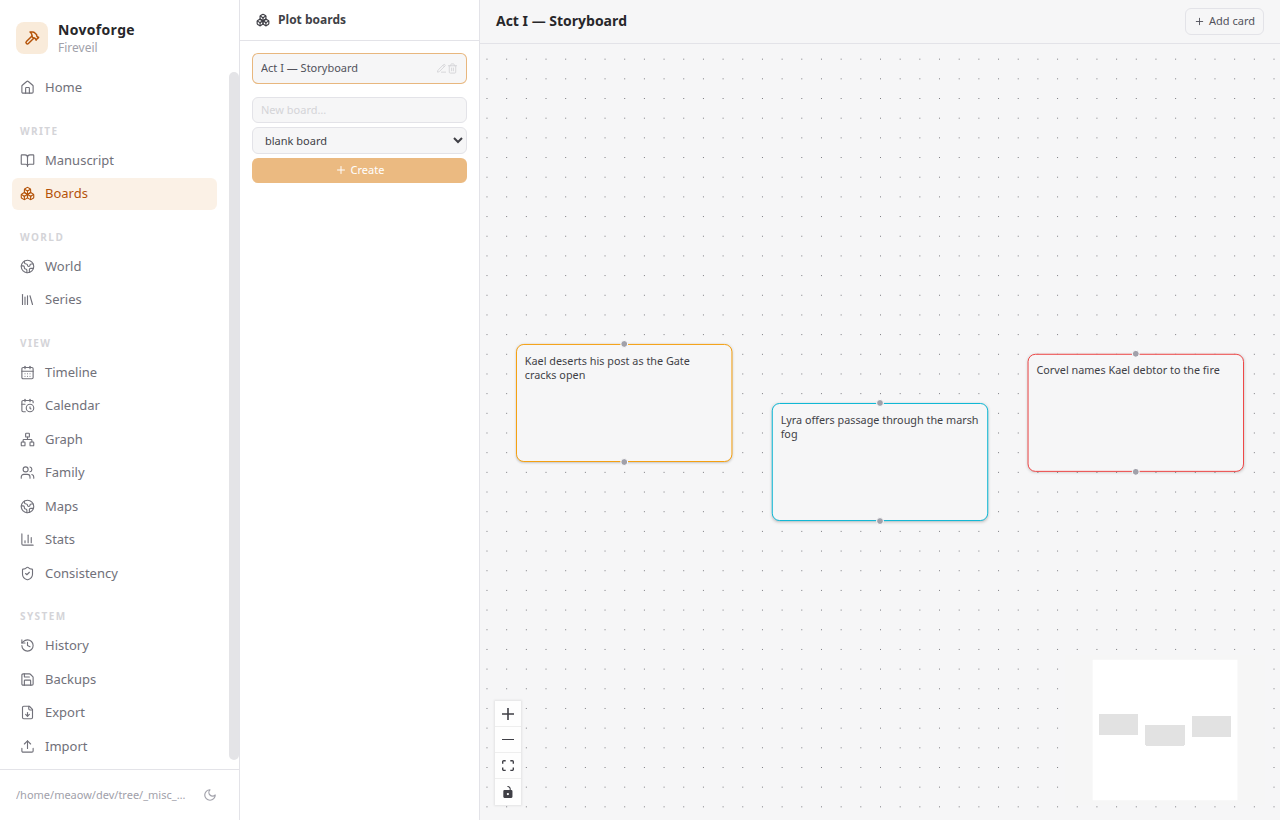
- Timelines, Calendars, Maps, Boards & Family Trees - Build the world around your story
History & Safety
- Revision Snapshots - Automatic snapshots with a diff viewer and one-click restore with safety copy
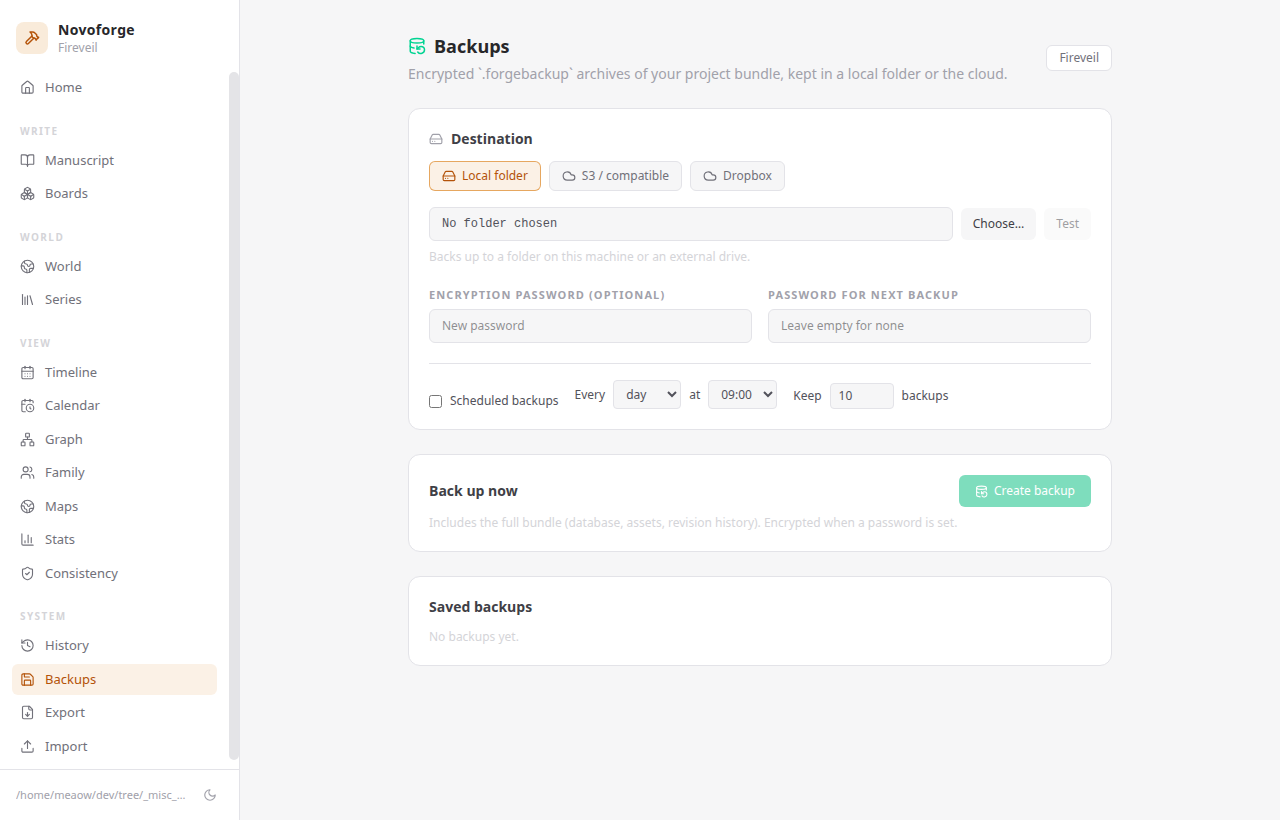
- Rolling Backup - Auto-backup on close, plus scheduled encrypted backups
- Dropbox & S3 Backups - Optional cloud backup to Dropbox or any S3-compatible bucket
Compile, Export & Import
- Scrivener-Style Compile - Reusable formats with per-section-type layouts, numbering, filters, and typography placeholders
- Full Export Suite - DOCX, EPUB, PDF, Markdown, HTML, Shunn-standard manuscript, and Scrivener
.scrivbundles — every run ships a checksummed manifest - Staged Imports - DOCX, Markdown/plain text, Fountain screenplays, CSV entity sheets, and existing Scrivener projects with preview before commit
Productivity & Insight
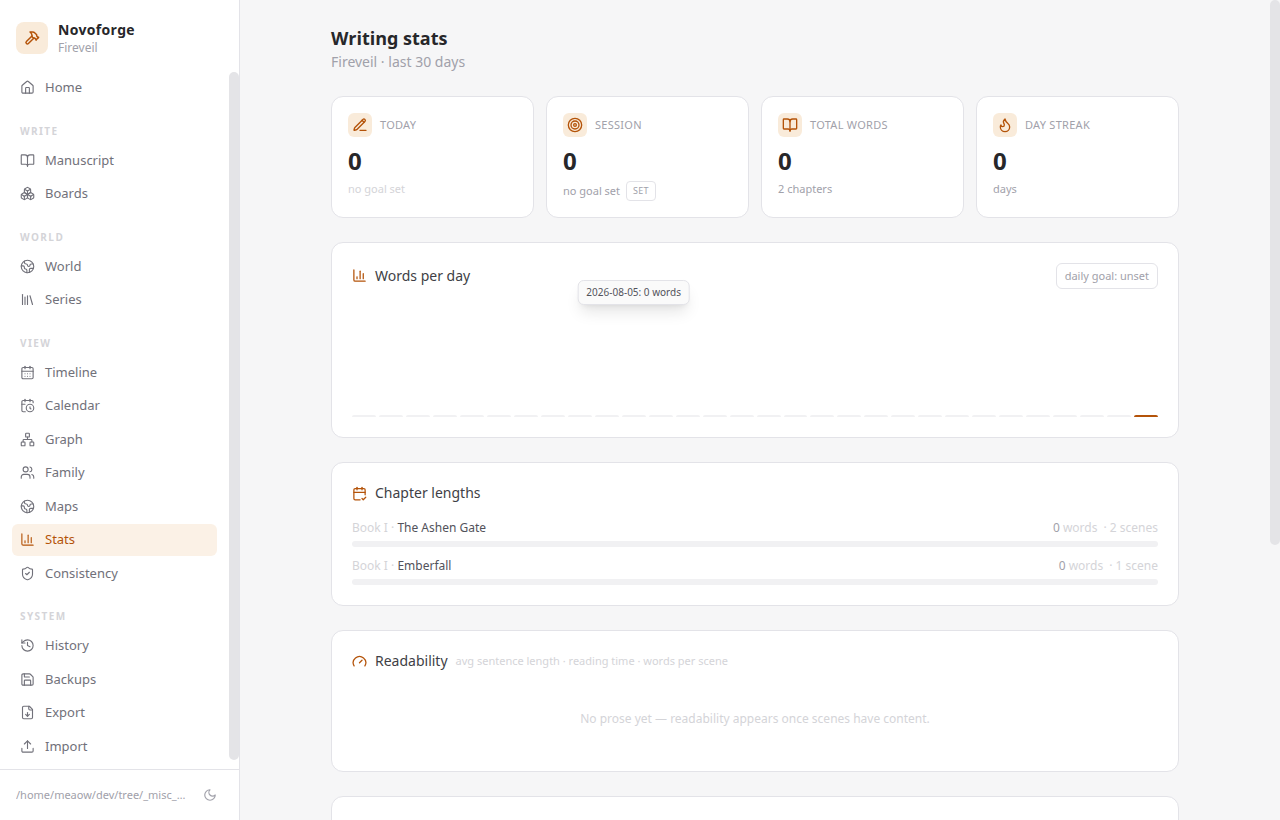
- Stats Dashboard - Words per day, streaks, sessions, and chapter-length matrix
- Readability & Consistency - Readability scores plus a consistency workbench with reports and beta-reader exports
- Desktop Polish - Native application menu, ⌘K command palette, dark/light themes, and automatic updates
🛠️ Tech Stack
Novoforge pairs an Electron shell with a typed writing core:
Desktop
- Electron - Cross-platform shell, packaged per-OS with electron-builder
- React - Renderer UI with TipTap/ProseMirror editor
- TypeScript - Strict typing throughout
- TailwindCSS - Utility-first styling with dark/light themes
Core Libraries
- SQLite - Embedded database with full-text search
- xyflow - Entity relationship graph rendering
- Zustand - Minimal, focused state management
Note
After the 1.0 release the desktop core moved to a private repository — this public repo hosts the landing page, docs, downloads, and auto-update feeds.
🏗️ Architecture
Design Principles
flowchart LR
    UI["React Renderer"] -->|"typed IPC"| Main["Electron Main"]
    Main --> Domain["Typed domain services<br/>+ ports"]
    Domain --> DB["SQLite<br/>embedded"]
    Domain --> FS[".world bundle<br/>manifest + assets + revisions"]
    Domain --> Backup["Backup providers<br/>local / Dropbox / S3"]
A project is just a folder — a portable .world bundle containing the database,
assets, revisions, and backups next to each other. Open it, back it up, or sync
it however you like; the domain core stays portable and testable behind small
ports, keeping the UI layer Electron-agnostic.
🚀 Download & Platforms
Novoforge ships desktop installers for all three major platforms:
- Windows - NSIS installer (
Novoforge-<version>-setup.exe) - Linux - AppImage, Debian (
.deb), and RPM (.rpm) packages - macOS - DMG (currently unsigned — right-click → Open on first launch)
- Auto-Updates - The app checks a public release feed and updates in place
Grab the latest version from the releases page or visit the website.
🎯 What Makes This Project Unique
-
Local-First by Design - A project is just a portable
.worldfolder; the database, assets, and revisions live next to each other, so backup and portability are trivial. -
Serious Writing Tools - Revision snapshots with diffs, scrivenings, corkboard/outliner views, per-scene word targets, and Scrivener-grade compile — built for long-form work.
-
Round-Trip Interop - Checksummed exports to DOCX/EPUB/PDF/Shunn/ Scrivener with staged imports back in, including Fountain screenplays and CSV entity sheets.
-
Encrypted Cloud Backups - Optional Dropbox or S3 sync with encrypted archives, no lock-in required.
-
Private & Respectful of Ownership - No accounts, no telemetry; your work is yours and stays on your machine.
-
Continuous Delivery - GitHub Actions builds, tests, and ships installers to a public download feed on every release tag.
📸 Screenshots
🗺️ Roadmap
Novoforge is under active development. Planned work includes:
- Dropbox cloud backups (OAuth, encrypted)
- Auto-update pipeline via public GitHub releases
- macOS installer (DMG) — v1.0.0
- Corkboard/outliner views, find & replace, section types
- Scrivener-style compile engine with per-section layouts
- Code signing & notarization (Windows/macOS)
- Cloud sync providers beyond Dropbox/S3
- Manuscript collaboration (long-term)
🤝 Author & Contact
- Author: @mahabubone - Full-Stack Developer | TypeScript Enthusiast
- Email: iam.mahabub@proton.me
📄 License
Novoforge is free for personal, non-commercial use by individuals. Commercial use, use by organizations, modification, and redistribution require the author’s written permission (a separate commercial license is available). See LICENSE for the full terms.
🙏 Acknowledgments
- Electron - Cross-platform desktop shell
- TipTap / ProseMirror - Rich text editing foundation
- SQLite - Embedded local-first database
- xyflow - Relationship graph rendering